
Getting Started
How It Works
PokerNights is one link for the season: winner and loser boards, live cash tables with seats and buy-ins, player stats from real cash-outs, and tournaments if your plan includes them. The group chat stays a group chat, not a spreadsheet.
First the setup flow, then real screens from a demo game so you can see how it feels when the night is running.
Four Steps to Your First Night
- On Create Your Game, choose a display name for your game and reserve the short name that appears after
/g/in the URL. If you choosefridaypoker, your game is atpokernights.app/g/fridaypoker. - Sign in with your host account and open that link once to claim the game. After that, only you can change settings, seat people, and edit session history.
- Share the same link every week. Players keep one bookmark for boards, tables, stats, and tournaments for your game.
- Players pick a display name and a password for this game only (separate from the host login). You add them in Settings, or they register if you allow it. Then they can sit and see stats; tournaments unlock on paid Premium (monthly or annual — see below).
Plans, Limits, and What's Included
Every plan includes the core game: winner and loser boards, live cash tables, session history, player stats, roster management, and CSV export. Your game can use different color presets; screenshots on this page are only examples.
Free
- 1 hosted game
- 1 live cash table per game
- Up to 10 players on the roster
- Tournaments not included
Premium (Monthly)
$19.99 / month
- Up to 3 hosted games
- Up to 3 live tables per game
- Up to 30 players per roster
- Tournaments included while the subscription is active
Premium (Annual)
$199.99 / year
- Unlimited hosted games
- Unlimited live tables per game
- Unlimited roster size
- Tournaments included while the subscription is active
Full pricing and billing details are on Pricing.
Game Home
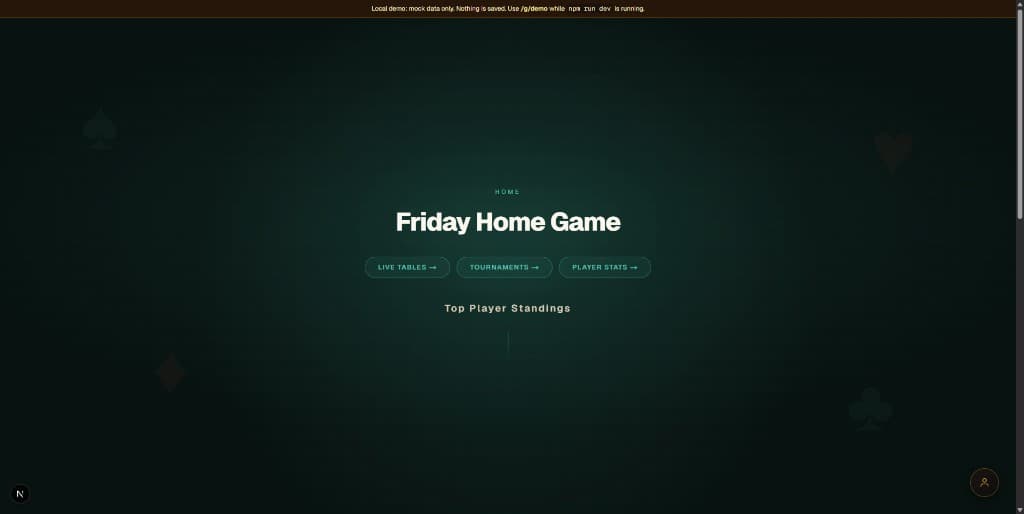
The first screen is your optional logo or game name, then Top Winners and Top Losers for the season. From there, people jump to live tables, tournaments, and the full stats list.
- When you are signed in as the host, controls for the boards show up for you only.
- Anyone can read the boards and use the links without a host login.
Live Tables and Session History
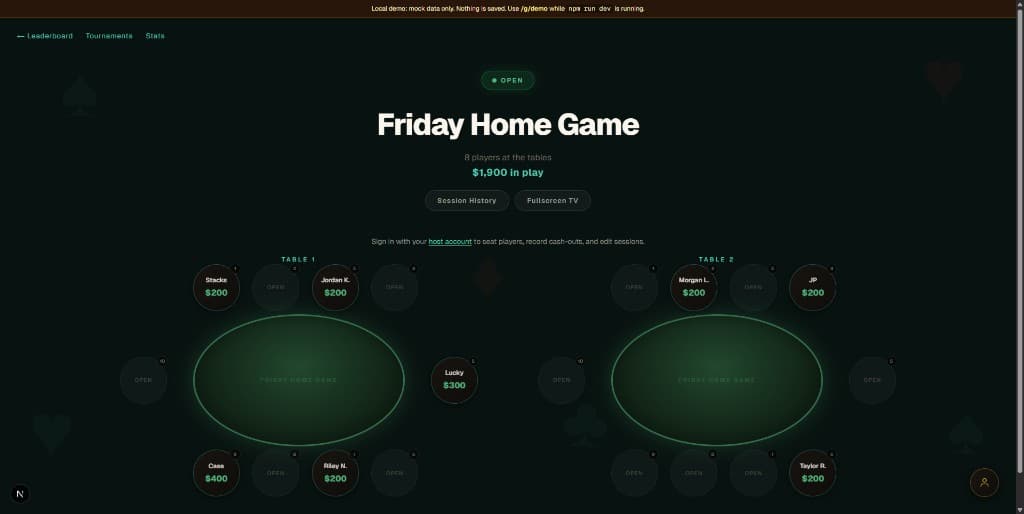
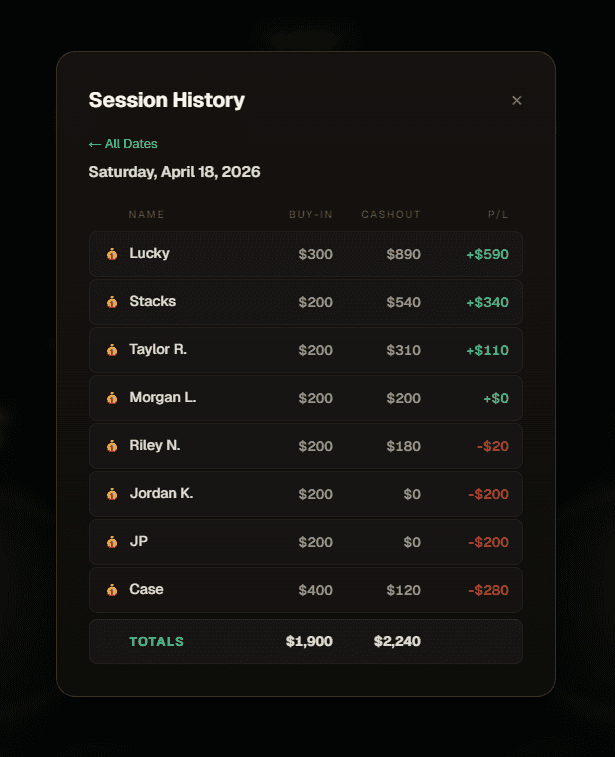
Each table shows who is seated, display names, and running buy-ins. You tap a seat to sit someone, add a rebuy, or cash them out. Open session history to see buy-ins, cash-outs, and profit or loss for a single night.
- Open or closed status and total money in play are visible at a glance.
- Fullscreen works well on a TV in the corner of the room.
Tournaments
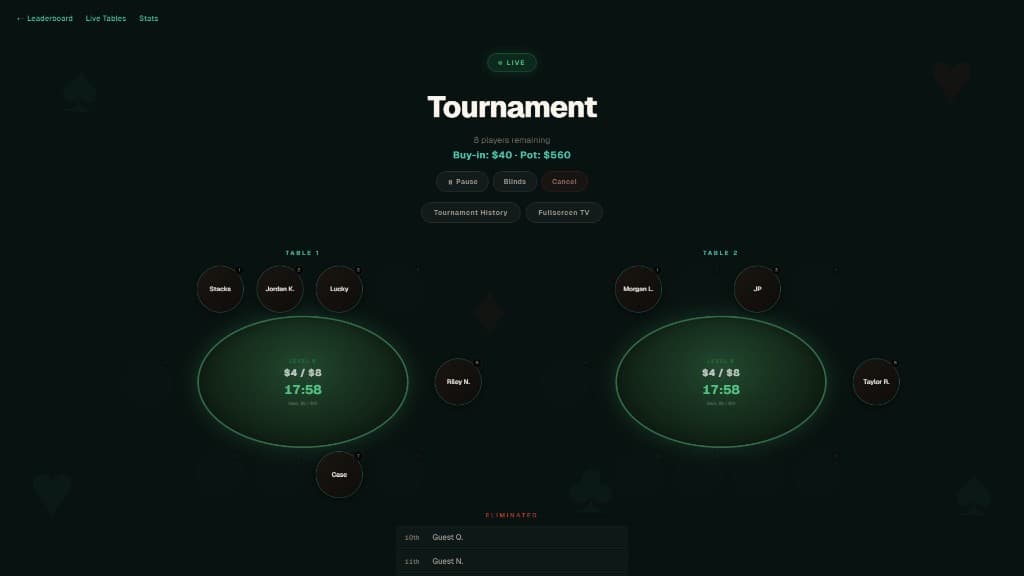
Tournaments are a Premium (monthly or annual) feature. When they are enabled for your account, you get blind levels, a live pot, bust-outs, and history for past finishes. The same game link covers cash tables and tournament night.
- Free hosts see the tournament page in read-only mode until you upgrade.
- Pause, blinds schedule, and Fullscreen TV mode while you run the game.
- Players register from the tournament page using the same roster as cash games.
Player Stats
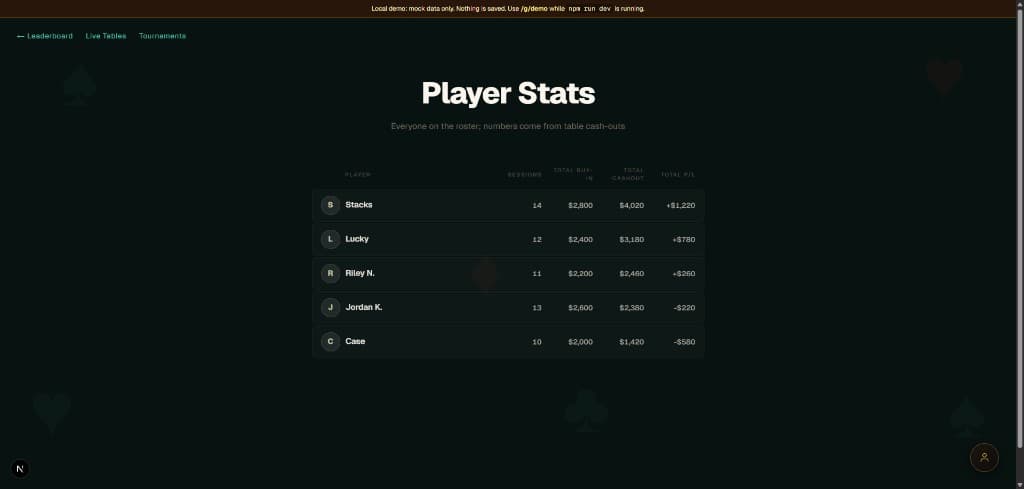
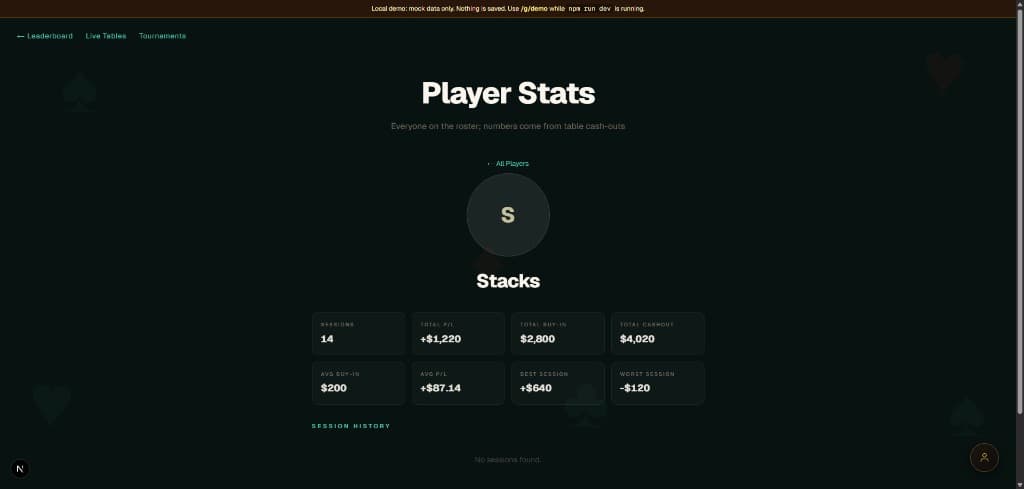
The stats page lists everyone on the roster with sessions, buy-ins, cash-outs, and net profit or loss. Open a player to see averages, best and worst nights, and session history for that person alone.
- Roster changes live in Settings so there is a clear trail of who changed what.
- Export CSV when you want a backup or to work in a spreadsheet.
Ready When You Are
Reserve your game name in a few seconds. After you claim the game you can still rename it and adjust colors, timezone, and table layout in Settings.